• Our new ticketing site is now live! Using either this or the original site (both powered by TrainSplit) helps support the running of the forum with every ticket purchase! Find out more and ask any questions/give us feedback in this thread!

Route Coverage

Status
Not open for further replies.

Techniquest

Veteran Member
Joined
19 Jun 2005
Messages
21,830
Location
Nowhere Heath
Fail much?

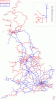
Finally, I got my latest map all done this afternoon. Still a lot to do, but that's all going to change when my All Line Rover is done :D This is my latest progress on a mission that's taken approximately 7 years thus far:

*Image removed due to removal of image from Photobucket, following correcting the errors made on the previous map*

Damn, I just noticed an error, Earlestown to Huyton is not covered yet. Nor is Hooton to Helsby, how I missed those rather big gaps earlier I don't know! Still, come September they'll be done anyway. Embarassing though :oops:
 
Last edited:
Sponsor Post - registered members do not see these adverts; click here to register, or click here to log in
R

RailUK Forums

Ivo

Established Member
Joined
8 Jan 2010
Messages
7,307
Location
Bath (or Southend)
I see you've missed my entire home area? You're not missing much :lol::roll::lol:

I might have to remake my map, in an effort to get rid of that stupid thumbnail problem.
 

Techniquest

Veteran Member
Joined
19 Jun 2005
Messages
21,830
Location
Nowhere Heath
Aye, I've done almost nothing in Essex, that'll be changed in the next few months though. It's been an annoyance for too long!
 

Ivo

Established Member
Joined
8 Jan 2010
Messages
7,307
Location
Bath (or Southend)
After the SLC on Saturday I sat my father down and ran through this same map with him, to see where he has travelled to. We only covered lines south of Birmingham for the most part (the most we could be bothered to do at 1am), but the amount he has done is staggering! He is honestly going to destroy me, especially when it gets to Scotland! All I have done is the ECML and WCML south of Edinburgh/Glasgow and one XC HST between the two! Yes, this will change this coming weekend, but he has done Aberdeen, Ayr, Dundee, Fort William, Oban, Mallaig... He does have the advantage of having been in the army though, and travelled regularly as a result.

Next time I visit him, we'll finish it off - and I'll show you his. After that, any claims he may have about him having not influenced my interest in railways will be disproven, once and for all! :D
 

Techniquest

Veteran Member
Joined
19 Jun 2005
Messages
21,830
Location
Nowhere Heath
I'm glad I'm not the only one who's done maps for his family! Of course, with me it's different as I travel for leisure all the time, whereas my family have little to no interest in the railway.

Would be interested in seeing the comparison maps when they're done :)
--- old post above --- --- new post below ---
Corrected the numerous errors I found on my map, and removed it from Photobucket and this thread. The more accurate representation of my coverage is now this:

Routecoveragemaplastupdated10thMay2011.gif
 

MidnightFlyer

Veteran Member
Joined
16 May 2010
Messages
12,856
Tried to update mine for what I did yesterday (for tmy 2011 one), but whenever I zoom in on Paint (or the jpg image) it does quite badly blurred, and when I try to border an area with pencil 'blocks' and fill it in with the filler, it just fills the one square I clicked on. Anyone know whats up?
 

Class172

Established Member
Associate Staff
Quizmaster
Joined
20 Mar 2011
Messages
3,887
Location
West Country
Tried to update mine for what I did yesterday (for tmy 2011 one), but whenever I zoom in on Paint (or the jpg image) it does quite badly blurred, and when I try to border an area with pencil 'blocks' and fill it in with the filler, it just fills the one square I clicked on. Anyone know whats up?

First of all, what type of file are you saving the picture as? Jpg. files will blur so try a different file such as bmp etc that won't blur.
 

Ivo

Established Member
Joined
8 Jan 2010
Messages
7,307
Location
Bath (or Southend)
The template is a GIF file which works very well and keeps file size down; it isn't recommended for complex pieces though (which this map is not).

For anyone who doesn't know how to do the map, a little "How2": Zoom in. Use the colour picker tool to select the exact blue used on the "LINES COVERED" box, and then use the pencil tool to isolate the area that is to turn blue until the line is completely blocked off from the rest of the map. Then use the filler tool (the tipped can), and hey presto! Your first line.
 

Techniquest

Veteran Member
Joined
19 Jun 2005
Messages
21,830
Location
Nowhere Heath
Some good progress there Ivo, you've still a lot of Wales to do I see. Trying to make sense of your NI bit (the part at the top right corner of the map I assume), does it also include parts of the RoI?
 

Techniquest

Veteran Member
Joined
19 Jun 2005
Messages
21,830
Location
Nowhere Heath
I wouldn't say no glaring omission as such, I mean to me every bit of red on my map is a glaring omission. Still, one day it'll all be done.

Which reminds me to have a look again at the PSUL...<D
 

W-on-Sea

Established Member
Joined
18 Dec 2009
Messages
1,447
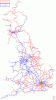
My latest version, to take account of various jaunts, uploaded. Still loads of gaps to be dealt with though...

(I've added the Airdrie/Drumgelloch to Bathgate line to the template here, not that I've travelled on it yet...)
 

Attachments

  • my GB rail travel.GIF
    my GB rail travel.GIF
    151.5 KB · Views: 32

37372

Member
Joined
24 Jul 2006
Messages
587
Location
Mexborough
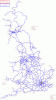
Well, it's taken a few years, and many tickets, rovers and railtours later I can finally say... Mission Complete! :D

Now, to carry on with freight lines and curves...
 

Attachments

  • Route Coverage.gif
    Route Coverage.gif
    106.7 KB · Views: 65

Techniquest

Veteran Member
Joined
19 Jun 2005
Messages
21,830
Location
Nowhere Heath
I think you may be the first person who contributes to this thread to have achieved success with your mission! Congratulations are in order! I don't think I'd want to know how much it cost to do all that...!

Good luck with freight lines and curves, although to show them off on maps for this thread you'll end up having to divide it up many times and zoom in on many areas I reckon! It's going to cost you many thousands to do the freight lines I reckon, as well as some serious luck and free time! Will you also do preserved lines?
 

37372

Member
Joined
24 Jul 2006
Messages
587
Location
Mexborough
Haha thanks, well a PRIV has helped getting a lot of the lines in but I know what you mean! Tours look like being my best bet from now on, and yes I should move onto preserved lines and light rail networks next I guess.
 

Techniquest

Veteran Member
Joined
19 Jun 2005
Messages
21,830
Location
Nowhere Heath
Well, you don't have to of course! Light rail and preserved railways will be my focus too by this time next year I reckon, the gaps in my Baker with regards to those are starting to annoy me!
 

Cletus

Established Member
Joined
11 Dec 2010
Messages
2,397
Location
Dover
Is there a map that can used be for route coverage of the city areas (London, Manchester, etc) that aren't obvious on the national map?

Also is there a London Underground equivalent?
 

bb21

Emeritus Moderator
Joined
4 Feb 2010
Messages
24,445
Is there a map that can used be for route coverage of the city areas (London, Manchester, etc) that aren't obvious on the national map?

Also is there a London Underground equivalent?

For London you can just use the London Connections map I would imagine.
 

MidnightFlyer

Veteran Member
Joined
16 May 2010
Messages
12,856
I started one of these a while back, but when I went to update it a few weeks ago, I bounded the line I needed filler in, clicked the filler icon, and it would insist on only filling in one block at a time (bear in mind a block constitutes about half a mile)!

Anyone know what I'm doing wrong?
 

Class172

Established Member
Associate Staff
Quizmaster
Joined
20 Mar 2011
Messages
3,887
Location
West Country
I started one of these a while back, but when I went to update it a few weeks ago, I bounded the line I needed filler in, clicked the filler icon, and it would insist on only filling in one block at a time (bear in mind a block constitutes about half a mile)!

Anyone know what I'm doing wrong?
What format are you saving the file as? If you are using .jpg then that may be the cause of the problem: you see when you save a file in .jpg format, the file is compressed to save space; therefore, when you reopen the file it is uncompressed but not to its original state - it will cause the colours to blur ever so slightly. The fill feature fills in pixels that are exactly the same colour; due to the compression, the pixels (blocks) would have changed colour ever so slighly; this means only one block is filled at a time. May I suggest that you use a different file format such as .png as the picture is not compressed (hence the larger file size) and will subsequently retain the original quality and format.

Hope this helps. :D

Dan
 
Status
Not open for further replies.

Top