voyagerdude220
Established Member
- Joined
- 13 Oct 2005
- Messages
- 4,262
Hi all,
I've recently purchased the new Hope Valley extension to the Midland Mainline Sheffield to Derby Train Simulator route from the Just Trains website.
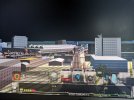
Whilst the Stations/Tracks load correctly, the sky doesn't show at all- it is completely missing and is completely black.
Also many bits of scenery are missing and show yellow and black boxes instead.
I've tried re installing the add on to no avail.
I have all the required add ons and system requirements are met.
This problem only happens when trying to use this new add on- other existing routes work correctly.
Thanks in advance for your help.
I've recently purchased the new Hope Valley extension to the Midland Mainline Sheffield to Derby Train Simulator route from the Just Trains website.
Whilst the Stations/Tracks load correctly, the sky doesn't show at all- it is completely missing and is completely black.
Also many bits of scenery are missing and show yellow and black boxes instead.
I've tried re installing the add on to no avail.
I have all the required add ons and system requirements are met.
This problem only happens when trying to use this new add on- other existing routes work correctly.
Thanks in advance for your help.