• Our new ticketing site is now live! Using either this or the original site (both powered by TrainSplit) helps support the running of the forum with every ticket purchase! Find out more and ask any questions/give us feedback in this thread!

Timetable datafeed - missing passing points

Status
Not open for further replies.

Adrian S

New Member
Joined
23 Jun 2015
Messages
2
Hi,

Obviously trains pass through some stations on a journey without stopping.

These "passing" stations may or may not be listed in the timetable datafeed .mca file. Does anyone know why some are listed and some not?

Here is an example at line 359510 of ttisf366.mca:

LIPOOLE 1505H1507 150615071 T
LIBRANKSM 1511H000000001 1
CRBOMO XX1W649254124620204 EMU 100 B S T SW925400
LIBOMO 1517 1522 151715222 T -UK H


(train calls at Poole, but passes Branksome on the way to Bournemouth. However, Parkstone is also passed but is missing from the data - why?)


Thanks

A.
 
Sponsor Post - registered members do not see these adverts; click here to register, or click here to log in
R

RailUK Forums

robbeech

Established Member
Joined
11 Nov 2015
Messages
4,912
Is this not related to a station or point at which an actual time is recorded. If you look at RTT data does the station that is omitted here show as a time or as No Report?
 

louis97

Established Member
Joined
14 May 2008
Messages
2,154
Location
Derby
Not all trains are timed at all station they pass, it generally depends whether a location is a mandatory timing point. See the train planning rules if you want to know the status of any locations.
 

Deepgreen

Established Member
Joined
12 Jun 2013
Messages
7,490
Location
Gomshall, Surrey
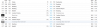
On a point of detail for RTT, I have noticed that at, for example, Reigate, there seems to be a rough rule that morning/early afternoon trains there are shown according to their platform number (there are two, one up and one down), but later in the day, all up trains are shown as not having a platform number (blank), while down trains are described as DPL (Down Platform Line?). Any idea why this is?
 

Attachments

  • ReigateCapture.PNG
    ReigateCapture.PNG
    26.1 KB · Views: 28

louis97

Established Member
Joined
14 May 2008
Messages
2,154
Location
Derby
On a point of detail for RTT, I have noticed that at, for example, Reigate, there seems to be a rough rule that morning/early afternoon trains there are shown according to their platform number (there are two, one up and one down), but later in the day, all up trains are shown as not having a platform number (blank), while down trains are described as DPL (Down Platform Line?). Any idea why this is?

Sounds like you are getting confused with the bold actual platform number assigned by RTT. If you look at a day in the future you can see that all trains using Platform 2 are assigned platform DPL. DPL just seems to be the platform assigned by the planners for trains using platform 2.
 

MichaelAMW

Member
Joined
18 Jun 2010
Messages
1,021
Sounds like you are getting confused with the bold actual platform number assigned by RTT. If you look at a day in the future you can see that all trains using Platform 2 are assigned platform DPL. DPL just seems to be the platform assigned by the planners for trains using platform 2.

I'm not trying to divert the thread here but since we are talking about the operation of RTT and you are one of its operators, I hope you don't mind if I ask a couple of points. I'm doing it here as they might be of interest to others; it didn't seem worth a new thread.

-- Is there a reason the mileage for a service only sometimes appears down the left-hand side, or is it possible to always get this?
-- Any chance the "- 1 hr" and "+ 1 hr" buttons could be repeated at the bottom of the list...?!

I am sure I am one of many thousands who are very grateful indeed for your labour of love with RTT.
 

louis97

Established Member
Joined
14 May 2008
Messages
2,154
Location
Derby
I'm not trying to divert the thread here but since we are talking about the operation of RTT and you are one of its operators, I hope you don't mind if I ask a couple of points. I'm doing it here as they might be of interest to others; it didn't seem worth a new thread.

-- Is there a reason the mileage for a service only sometimes appears down the left-hand side, or is it possible to always get this?
-- Any chance the "- 1 hr" and "+ 1 hr" buttons could be repeated at the bottom of the list...?!

I am sure I am one of many thousands who are very grateful indeed for your labour of love with RTT.

There are two possible reasons for the mileage not to appear:
1) Our database has no mileage data between any of the timing points in the schedule. The mileage data has come a long way and has had a huge number of updates in the last year. The mileage data constantly requires updating as new timing points are created, the current version of RTT is fragile so makes updating the mileage difficult and time consuming.

2) An average speed of a running time for the distance set between two timing points is higher than the trains 'timed for' speed. For example some running times give an average speed of just over 125mph. This setup is designed to avoid the mileage engine plotting stupidly long routes where mileage data is available, but just over a longer route. A work around is being looked into, and will likely come with a new version of RTT. Another side effect of this, and a way of spotting where this may be the case, is the intermediate locations between said timing point not being added to the schedule.

With regards to the buttons, I will mention this, however it is unlikely to appear until the next version of RTT is released. I am however unable to provide an estimate as to when this will be.
 
Last edited:

MichaelAMW

Member
Joined
18 Jun 2010
Messages
1,021
There are two possible reasons for the mileage not to appear:
1) Our database has no mileage data between any of the timing points in the schedule. The mileage data has come a long way and has had a huge number of updates in the last year. The mileage data constantly requires updating as new timing points are created, the current version of RTT is fragile so makes updating the mileage difficult and time consuming.

2) An average speed of a running time for the distance set between two timing points is higher than the trains 'timed for' speed. For example some running times give an average speed of just over 125mph. This setup is designed to avoid the mileage engine plotting stupidly long routes where mileage data is available, but just over a longer route. A work around is being looked into, and will likely come with a new version of RTT. Another side effect of this, and a way of spotting where this may be the case, is the intermediate locations between said timing point not being added to the schedule.

With regards to the buttons, I will mention this, however it is unlikely to appear until the next version of RTT is released. I am however unable to provide an estimate as to when this will be.

Thanks for that - interesting to hear about how the mileage data arises and how you control the possible appearance of errors. Obviously, the buttons are just non-vital wishful thinking!
 
Status
Not open for further replies.

Top