T
Tom
Guest
This guide is just for Intel Macs - don't ask me about PowerPC Macs as I simply don't have one.
Right - to start, obtain a version of WINE for Mac. In particular, Crossover is a good idea. Crossover Mac is available from www.codeweavers.com for a reasonable price.
Now - go to http://www.microsoft.com/downloads/...78-81a9-4db7-beb6-84ff99342172&displaylang=en and download. Download it to anywhere - although somewhere in /Users/youruser/ is recommended.
Install Crossover - let it start up. When loaded, Configure -> Install Software. Let it run the list and then Install Unsupported Software, install on the default win98 bottle. Go through the prompts and WinZip should open asking where you would like to unzip to. I unzipped mine to C:\dcom95\ for easy access.
Now - go to the SimSig website and download SimSig Swindon. When downloaded, again put it anywhere but preferably somewhere in your /Users/youruser/ directory. Copy dcom95.exe from the C:\dcom95\x86\ directory and stick it in with the installer. Now, go to the Install Unsupported Software prompt again - run the SimSig installer this time. It should install the dcom95 libraries which are required for SimSig to install and run properly.
The SimSig installer should pop up momentarily - swap out %SystemDrive% to C: in the where to install - and then run the installer. Should install fully, and properly.
Then - run SimSig Swindon. I run my programs generally by doing Programs -> Run Command then locating it on my bottle.
But, it works and that's what matters.
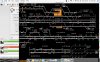
See attachment!
Right - to start, obtain a version of WINE for Mac. In particular, Crossover is a good idea. Crossover Mac is available from www.codeweavers.com for a reasonable price.
Now - go to http://www.microsoft.com/downloads/...78-81a9-4db7-beb6-84ff99342172&displaylang=en and download. Download it to anywhere - although somewhere in /Users/youruser/ is recommended.
Install Crossover - let it start up. When loaded, Configure -> Install Software. Let it run the list and then Install Unsupported Software, install on the default win98 bottle. Go through the prompts and WinZip should open asking where you would like to unzip to. I unzipped mine to C:\dcom95\ for easy access.
Now - go to the SimSig website and download SimSig Swindon. When downloaded, again put it anywhere but preferably somewhere in your /Users/youruser/ directory. Copy dcom95.exe from the C:\dcom95\x86\ directory and stick it in with the installer. Now, go to the Install Unsupported Software prompt again - run the SimSig installer this time. It should install the dcom95 libraries which are required for SimSig to install and run properly.
The SimSig installer should pop up momentarily - swap out %SystemDrive% to C: in the where to install - and then run the installer. Should install fully, and properly.
Then - run SimSig Swindon. I run my programs generally by doing Programs -> Run Command then locating it on my bottle.
But, it works and that's what matters.
See attachment!