• Our new ticketing site is now live! Using either this or the original site (both powered by TrainSplit) helps support the running of the forum with every ticket purchase! Find out more and ask any questions/give us feedback in this thread!

railworks load problem

Status
Not open for further replies.

hstmatt

Member
Joined
12 Mar 2011
Messages
231
Location
United Kingdom
ok so when i pick my route it starts to load it normaly then it turns into a black screen and the curser turns from a circle(which means loading) to a normal arrow then i press the start button on my keyboard to get off the game it says a problem caused railworks to stop working
 
Sponsor Post - registered members do not see these adverts; click here to register, or click here to log in
R

RailUK Forums

Crossover

Established Member
Joined
4 Jun 2009
Messages
9,493
Location
Yorkshire
You've somehow managed to post this twice!

Have you recently installed any add-ons, as I have known of this causing problems (for me included - one of my routes experienced the same problem you have described)

My advice, which on the aforementioned previous experience worked, would be to clear the blueprint cache. This can be found under the "Tools and Docs" tab of the initial load screen (i.e. if you get to options of routes to drive then you've gone too far)

HTH
 

hstmatt

Member
Joined
12 Mar 2011
Messages
231
Location
United Kingdom
ok i still dont understand how i can fix this i am not amazing with computers so make it simple as u can thanks
 

HST Power

Established Member
Joined
25 Nov 2010
Messages
3,704
ok i still dont understand how i can fix this i am not amazing with computers so make it simple as u can thanks

I've just started on Railworks and it's been running well for me so far. I advise you contact the support team and have a browse through the FAQ, which can be viewed by going to the Railworks website.
 

Crossover

Established Member
Joined
4 Jun 2009
Messages
9,493
Location
Yorkshire
Clear the blueprint cache. This can be found under the "Tools and Docs" tab of the initial load screen (i.e. if you get to options of routes to drive then you've gone too far)

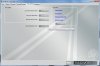
@hstmatt - see the attached screenshot which shows where to find above settings.

Try clearing the blueprint cache and let us know how you go on.

Also, do you know any information about your PC spec? i.e. processor info, memory and such?
 

Attachments

  • Railworks.jpg
    Railworks.jpg
    54.5 KB · Views: 8

HST Power

Established Member
Joined
25 Nov 2010
Messages
3,704
Also, do you know any information about your PC spec? i.e. processor info, memory and such?

You can find that out by clicking start and typing in 'dxdiag'. It will tell you all your systems performance readings.
 
Status
Not open for further replies.

Top