• Our new ticketing site is now live! Using either this or the original site (both powered by TrainSplit) helps support the running of the forum with every ticket purchase! Find out more and ask any questions/give us feedback in this thread!

Critical commentry needed

Status
Not open for further replies.

43021HST

Established Member
Joined
11 Sep 2008
Messages
1,565
Location
Taunton
I would like to know whats good, what needs improving etc for my photos.
Here is the website I use http://klambert94.deviantart.com/gallery/.
Please go easy on me, I'm not a hardcore photographer. By the way I use a 6mp samsung s630, thats all I can afford until further notice.
Dont hesitate to bring up any particular photos you think are good or could need improving with a suggestion (perhaps).
 
Sponsor Post - registered members do not see these adverts; click here to register, or click here to log in
R

RailUK Forums

starrymarkb

Established Member
Joined
4 Aug 2009
Messages
5,985
Location
Exeter
http://klambert94.deviantart.com/ar...-155594539?q=gallery:klambert94/26308059&qo=9
http://klambert94.deviantart.com/ar...148405691?q=gallery:klambert94/26308059&qo=23

In both of these the Sun is behind the subject which leads to dull photos. You might be able to salvage them a bit in software (expensive: Photoshop, Free: Picasa or Picnik), you'll learn better spots with experience.

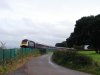
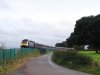
As an example see the attachment - I'm happy with the original, but to illustrate I've lightened the picture slightly

I use a 5mp Sony DSC-H1 that I bought for £65 second hand - with cameras second hand is often a good way to go. Oh and Megapixels don't mean very much at all, your camera will take better photos then a 12mp mobile phone because of the better optics.
 

Attachments

  • DSC00884.jpg
    DSC00884.jpg
    122 KB · Views: 27
  • DSC00884light.jpg
    DSC00884light.jpg
    126.8 KB · Views: 27

Bevan Price

Established Member
Joined
22 Apr 2010
Messages
8,319
You have some interesting images but many appear dark on my monitor, with loss of detail, especially at wheel level.

You can adjust darkness / brightness in your software.

Free software downloads (or cover discs of some computer magazines):

Paint.net.:- Look for "levels" item in menu. Move sliders to adjust brightness, etc.

Irfan View:- Look for colour correction item in menu. Adjust brightness / contrast / gamma to get best image.

Paid-for, but cheaper options to the mega-expensive Photoshop include:
Serif Photo Plus, Paint Shop Pro or Photoshop Elements.
All offer generally greater image control options than the free software. Look first for "levels" option in menu, and adjust sliders as necessary. Practice with software will improve your technique.

Bevan
 
Status
Not open for further replies.

Top