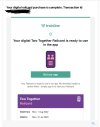
In the Railcard purchasing process on Trainline.com you should have been asked to create a Trainline account either by using your Apple/Google/Facebook account, or by manually entering your email address and choosing a new password (not necessarily the same as your email account password, and definitely not the same as your email account password if you've forgotten it). It would look similar to one of these screenshots:
View attachment 119384View attachment 119387
Do you remember what you did? Once you've downloaded the Trainline app from Apple Store / Google Play Store as described above, use the same method to sign in to the app, and your railcard will be there waiting for you.
In either case, you should also be able to enter the email address associated with the Trainline account on the
"Forgotten Password" page to receive an email with instructions on how to change the password to something you can then remember and use to sign in. (This assumes that you do receive emails sent to the associated email address, but you should be able to if you're seeing the emails from Trainline at all...)
I don't think any email you received would contain an "account number", because Trainline accounts are identified by email address and not by number. The email address to use should be the one that Trainline is sending all the emails to.
Where are you seeing this new email address? If you are receiving emails to it then it must have been set up for you even if you're not aware of it. For example if someone helped you set up your Android phone (or iPhone), then they might have also created a Google email address (or an email address for the Apple ID) to link with the phone, and if you then chose to register for a Trainline account using your Google account (or Apple ID) that would become the email address associated with your Trainline account.
This is probably a red herring, as
@Par said above it's likely just generic instructions on how to download the Trainline app to your phone, and your Railcard purchase shouldn't hinge on it. The key to getting your railcard onto your phone is what details you entered (or which Apple/Facebook/Google button you clicked) to register for a new Trainline account.