• Our new ticketing site is now live! Using either this or the original site (both powered by TrainSplit) helps support the running of the forum with every ticket purchase! Find out more and ask any questions/give us feedback in this thread!

Passenger information: the railway needs to catch up

Status
Not open for further replies.
Sponsor Post - registered members do not see these adverts; click here to register, or click here to log in
R

RailUK Forums

LAX54

Established Member
Joined
15 Jan 2008
Messages
3,906
One of the things that fascinates me about driving is Google Maps. This has very accurate traffic information - and it's provided by tracking people's phones!

It knows there is a big jam between J5 and J6 of the M1 because there are 500 phones not moving in that location, and therefore reports it and adjusts my ETA. It does this even when traffic is going a little slower than usual. It can offer alternative routes.

All of this is a reality and connecting it to an autonomous car to make similar decisions to a human driver is not a big step.

There are some exceptionally grumpy and cynical people on here, particularly when it comes to technology.


Google Maps also has a great knack of showing a green road on your phone, yest you have been stuck in a jam for a good 30 mins or more !
 

3141

Established Member
Joined
1 Apr 2012
Messages
2,124
Location
Whitchurch, Hampshire
It may seem bizarre now, but, most disruptive things are, imagine the reaction you would have had in the 1700's if you told them in 100 years people would be moving about on machines that could move at great speeds powered by a great force called steam. You would have had the same reaction as we are having now.

The status-quo brigade, fear of change leading to opposition or denial. Fortunately we still manage to progress anyway.

Suppose you'd told them that the fields they'd been farming for centuries were going to be enclosed and they'd lose their land, and in order to find work they'd have to move to towns in which the atmosphere was toxic because of the machines powered by "a great force called steam", where they and their children, from the age of six or even younger, would have to work in factories for well over twelve hours a day, and because of the overcrowded living conditions public health would be far worse than in the countryside.

It is unlikely that they would have considered all this to be something to look forward to.

The status-quo brigade, fear of change leading to opposition or denial. Fortunately we still manage to progress anyway.

You reckon AI taking over 90% of jobs will be "progress"? It's highly probable there will be riots by those whose life and living standards are disrupted by these changes. Unfortunately there are people who are blinded by the idea of "progress" and unwilling to give much thought to the economic and social consequences of the kind of changes being discussed here - their own form of "denial".

Consequently I have little reason to doubt that much of it will happen, but I also doubt that it will be as rosy as some imagine.
 

jon0844

Veteran Member
Joined
1 Feb 2009
Messages
30,943
Location
UK
I expect there will be social unrest and we may well find in the future that the police, and army, have to deal accordingly.

Besides the riots in 2011 we don't have much civil unrest in the UK, but it can't surely continue forever.

Loads of people losing their jobs and whole professions going (so not just a case of going to another employer) will be much bigger than closing a few individual factories.

The only positive is that it won't happen overnight.

But imagine being effectively retired and just being given a fixed sum per month. How will we keep busy and keep ourselves educated and trained? Won't we just sit and get more unfit and dumbed down?
 

jon0844

Veteran Member
Joined
1 Feb 2009
Messages
30,943
Location
UK
Maybe the public should get access to P2, Tyrell, Tornado, CCLDB and so on!
 

AlterEgo

Verified Rep - Wingin' It! Paul Lucas
Joined
30 Dec 2008
Messages
29,592
Location
LBK
Google Maps also has a great knack of showing a green road on your phone, yest you have been stuck in a jam for a good 30 mins or more !

It's literally never happened for me. Google Maps - at least on iPhone and tablet - doesn't show green roads when in wayfinding mode, the colours are blue, amber, and shades of red. Maybe you are thinking of a different app?
 

TheManBehind

Member
Joined
26 Sep 2012
Messages
174
Maybe the public should get access to P2, Tyrell, Tornado, CCLDB and so on!

They effectively do have access to those things, the railway just doesn't make a great job of making it legible to the layman or in a way they can use.

OpenTrainTimes now shows maps. Tyrell has Journeycheck. Customers should be able to see what faults might affect their experience when they travel - ideally before they travel if they can!

There are a great many things that do have to be confidential for obvious reasons, but as an industry the railway is generally bloody poor at giving customers information that helps inform their behaviour.
 
Last edited:

Domh245

Established Member
Joined
6 Apr 2013
Messages
8,426
Location
nowhere
It's literally never happened for me. Google Maps - at least on iPhone and tablet - doesn't show green roads when in wayfinding mode, the colours are blue, amber, and shades of red. Maybe you are thinking of a different app?

It's definitely green, amber, and shades of red on PC and my Moto G. I'm fairly certain it's also green on the iPhones that I have seen
 

underbank

Established Member
Joined
26 Jan 2013
Messages
1,486
Location
North West England
the trainline app is well ahead of the game by providing notifications to the phone for platform alterations, cancellatiobs etc...

Usually the way is that the private peripheral firms are the ones who can envisage the new developments and opportunities and make it happen, long before the lumbering dinosaurs who just want to do what they've always done. There'll be lots of apps on the way that provide relevant travelling information and it won't be until they get a large market share that the TOPs will finally wake up and improve their own services. History shows it to be the case. When people become aware of the apps available, they'll start to be happy to give their phone number or email addy when booking travel tickets as they'll want the benefits such as some proper information about delays and service disruptions.
 

jon0844

Veteran Member
Joined
1 Feb 2009
Messages
30,943
Location
UK
They effectively do have access to those things, the railway just doesn't make a great job of making it legible to the layman or in a way they can use.

OpenTrainTimes now shows maps. Tyrell has Journeycheck. Customers should be able to see what faults might affect their experience when they travel - ideally before they travel if they can!

There are a great many things that do have to be confidential for obvious reasons, but as an industry the railway is generally bloody poor at giving customers information that helps inform their behaviour.

And a lot of rail staff rely on OpenTrainTimes more than the 'pro' tools too! Far nicer user interface for one.
 

AlterEgo

Verified Rep - Wingin' It! Paul Lucas
Joined
30 Dec 2008
Messages
29,592
Location
LBK
It's definitely green, amber, and shades of red on PC and my Moto G. I'm fairly certain it's also green on the iPhones that I have seen

Google Maps wayfinds "clear" routes in blue on all platforms.

A demonstration of Google Maps on a Moto G is here: https://www.youtube.com/watch?v=lEujJ8BfhEg - showing it wayfinds in blue.

Green lines on Google Maps (at least on an iPhone) are cycling routes.

Your ETA however is shown in either green, amber or red on Google Maps. That represents the overall amount of traffic yet to come on your route, not the current state of the road you are driving down. You can be doing 70mph on the M1 and have a red "2h 7m" indicator because the North Circular is completely snarled up later on your route.

Apple Maps also wayfinds in blue.

I have literally never encountered a scenario where I've been driving and been sat in a traffic jam for longer than a few minutes, and Google Maps has claimed the route to be "clear". This is because of how Google Maps works, as I explained upthread. I find it very accurate.
 
Last edited:

AlterEgo

Verified Rep - Wingin' It! Paul Lucas
Joined
30 Dec 2008
Messages
29,592
Location
LBK
And a lot of rail staff rely on OpenTrainTimes more than the 'pro' tools too! Far nicer user interface for one.

It is easier to read and easier to show customers so they can understand, too. Rail open data has been such a good thing.
 

Jonfun

Established Member
Joined
16 Mar 2007
Messages
1,254
Location
North West
Green lines on Google Maps (at least on an iPhone) are cycling routes.

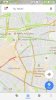
I think perhaps you're using a different version. Definitely green/yellow/red for traffic here on the Android one.

Dark green does indeed indicate cycle routes.
 

Attachments

  • Screenshot_20170728-113721.jpg
    Screenshot_20170728-113721.jpg
    85.6 KB · Views: 20

ooo

Member
Joined
8 Jun 2015
Messages
707
Location
S
I think perhaps you're using a different version. Definitely green/yellow/red for traffic here on the Android one.

Dark green does indeed indicate cycle routes.
When you have directions though it is blue for clear roads

Sent from my Moto G (4) using Tapatalk
 

AlterEgo

Verified Rep - Wingin' It! Paul Lucas
Joined
30 Dec 2008
Messages
29,592
Location
LBK
I think perhaps you're using a different version. Definitely green/yellow/red for traffic here on the Android one.

Dark green does indeed indicate cycle routes.

You don't have the map in wayfinding mode. That means, you've asked the app to find you directions somewhere. You then have that mode enabled as you drive the route.

"Clear" roads are blue on all platforms.
 

Jonfun

Established Member
Joined
16 Mar 2007
Messages
1,254
Location
North West
Google Maps also has a great knack of showing a green road on your phone, yest you have been stuck in a jam for a good 30 mins or more !

Where did oldsiggie say anything about "Wayfinding Mode"? He said it shows in green, and he is correct.
 

AlterEgo

Verified Rep - Wingin' It! Paul Lucas
Joined
30 Dec 2008
Messages
29,592
Location
LBK
Where did oldsiggie say anything about "Wayfinding Mode"? He said it shows in green, and he is correct.

But there is a distinct difference between the two and one does not match the other in terms of update speed (though neither is nearly as slow as half an hour latency, as claimed). I was not aware anyone would use the general overlay information as an ETA estimation or wayfinding tool while in their car - this isn't what it's for.

The overlay is merely indicative of a snapshot of traffic conditions and requires a large amount of data (think: there are 250 streets on my 4G phone when I open up my app in Central London). This overlay is not supposed to be used for telling you that the road you are driving on is jammed or clear - it's a general overview of traffic conditions. "Oh, there's a big jam on the M6". In urban areas the app updates more quickly than rural areas anyway, because of the density of phones travelling about the road network.

In wayfinding mode (i.e. where you tell the phone "I need to go here, and please tell me how long it should take, and what the traffic enroute is like") the phone only has one linear route plus one or two alternatives to worry about and can fetch data, on demand, more quickly, and I have watched traffic back up in front of me and the situation on wayfinding mode change within 15-30 seconds.

A similar analogy: you open up the NRE site and see no yellow warning triangle on the homepage and "good service" next to SWT. Then in ten minutes you go down the station and find your train delayed. There's no cause for complaint because you only looked at a general overview of probably 100 live trains (with significant latency) rather than asking a granular and specific question like "I need to know exactly how the 0944 from West Byfleet is running".

To return to the original point, the criticism of the available technology isn't really warranted, though it may be the case that a lot of people don't know how it works or how to get the most from it.
 

Bletchleyite

Veteran Member
Joined
20 Oct 2014
Messages
113,752
Location
"Marston Vale mafia"
My phone automatically works out what journeys I'm likely to make at given times on given days (and is rather good at doing this) and tells me traffic information.

A railway application for this would be to show details of disruption to services that you commonly use, worked out based on your GPS locations.
 

LAX54

Established Member
Joined
15 Jan 2008
Messages
3,906
It's literally never happened for me. Google Maps - at least on iPhone and tablet - doesn't show green roads when in wayfinding mode, the colours are blue, amber, and shades of red. Maybe you are thinking of a different app?

A what mode ?? Nope, when someone calls in and says stuck in traffic, we call up Google Maps on the PC, 90% of time its OK, but sometimes it shows a pretty green colour, and we know for a fact that it is fact at a standstill.

Greens and Reds and amber yes, just wrong info green when it should be amber or red
 
Last edited by a moderator:

Domh245

Established Member
Joined
6 Apr 2013
Messages
8,426
Location
nowhere
A what mode ?? Nope, when someone calls in and says stuck in traffic, we call up Google Maps on the PC, 90% of time its OK, but sometimes it shows a pretty green colour, and we know for a fact that it is fact at a standstill.

Greens and Reds and amber yes, just wrong info green when it should be amber or red

If you are using the mobile version, you can set it to act as a sat-nav - in which it gives verbal instructions and goes into a mode that shows the road immediately ahead, and the ETA, in which the route is shown as a blue overlay on the road, but as you note, if you just activate the traffic overlay on Google Maps, it shows as Green
 

AlterEgo

Verified Rep - Wingin' It! Paul Lucas
Joined
30 Dec 2008
Messages
29,592
Location
LBK
A what mode ?? Nope, when someone calls in and says stuck in traffic, we call up Google Maps on the PC, 90% of time its OK, but sometimes it shows a pretty green colour, and we know for a fact that it is fact at a standstill.

Greens and Reds and amber yes, just wrong info green when it should be amber or red

See post #167.
 

infobleep

On Moderation
Joined
27 Feb 2011
Messages
13,453
If you are using the mobile version, you can set it to act as a sat-nav - in which it gives verbal instructions and goes into a mode that shows the road immediately ahead, and the ETA, in which the route is shown as a blue overlay on the road, but as you note, if you just activate the traffic overlay on Google Maps, it shows as Green
When I'm on a bus or I want to know about traffic to decide whether to take a bus I use the overlay. I've never used satgm-nav mode with traffic updates.
 
Status
Not open for further replies.

Top